Guide · Booking.com
Booking.com, connected to your PMS.
How the channel manager built into Host Labs PMS works with Booking.com: what comes in, what goes out, prepaid and pay-at-property bookings, and what each one leaves you after commission and taxes.
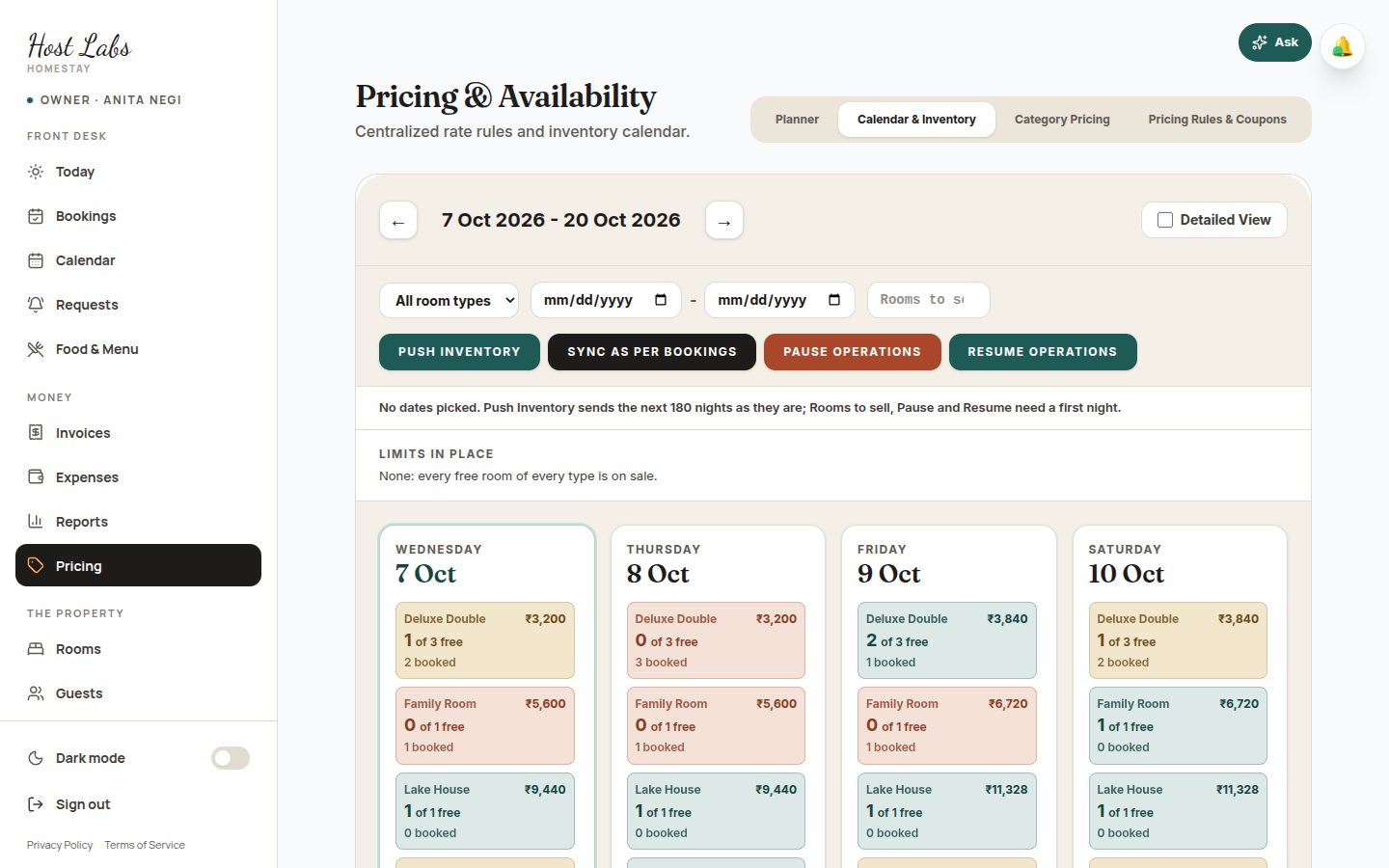
What syncs between Booking.com and Host Labs PMS
Booking.com reservations, changes and cancellations come into your calendar; rooms available per room type and night, rates and closed dates go back to Booking.com after every change, and to every other channel at the same time.
| What happens | What Host Labs PMS does |
|---|---|
| A guest books on Booking.com | The reservation arrives with a room assigned when one is free, and your team is alerted |
| The guest changes dates | The new dates are checked against your calendar before anything moves |
| The guest cancels | The booking is cancelled; if the guest is already in the house it is flagged for you instead |
| A room is booked anywhere else | Rooms left for each room type and night go to Booking.com and every other channel |
| You change a rate | The rate goes to Booking.com and every other channel, for any date range |
| You stop selling some dates | They close on Booking.com and everywhere else at once, and reopen in one step |
Your room types and rate plans, mapped
Each room type and rate plan on Booking.com is matched to one in Host Labs PMS. We set up the mapping with you during the free trial, before you switch over, so the first booking lands in the right room type.
Prepaid and pay-at-property bookings
A Booking.com booking is either paid online to Booking.com, which pays you out later less its commission and taxes, or paid to you at the property, with the commission invoiced afterwards. Host Labs PMS records which kind each booking is, so the guest's bill and what is still owed are right either way.
Commission, GST and TCS on Booking.com bookings
Booking.com's commission rate is in your contract, and its commission invoice shows the amount it was worked on. 18% GST is added to the commission, and from a prepaid payout 0.5% TCS and 0.1% TDS are kept.
Enter the rate once in Settings and every Booking.com booking shows its payout and what it earns you. A ₹3,150 night prepaid at an example 18% on the price with GST pays out ₹2,462.94; the full working is in the OTA commission guide.
GST on Booking.com bookings
Booking.com sends the price and the tax it added. Host Labs PMS keeps both, picks the GST slab per room per night from the price before tax, and shows the breakdown on the bill and the tax invoice.
How to connect Booking.com
Tell us your Booking.com property and the room types you sell; we set up the connection and the mapping with you, ask you to confirm it in your Booking.com extranet, and check that rooms and rates go both ways before you rely on it.
Your listing, photos and reviews stay in your Booking.com account, as they are. The connection exchanges reservations, rooms available and rates.
Questions
Does Host Labs PMS work with Booking.com?
Yes. Its built-in channel manager brings Booking.com reservations, changes and cancellations into your calendar and sends rooms available and rates back after every change.
Can I still use the Booking.com extranet?
Yes, for messages, reviews and promotions. Change rates and availability in Host Labs PMS, so Booking.com and every other channel stay in step.
What commission does Booking.com charge?
The rate in your contract with Booking.com, shown on its commission invoice; it differs between properties. Host Labs PMS uses the rate you enter to work out each payout.
What if a Booking.com guest cancels after checking in?
Nothing is cancelled. The booking is flagged for your team to sort out with Booking.com.
Does Host Labs PMS show Booking.com bookings with GST?
Yes. Booking.com's price before tax picks the slab, and the bill and the tax invoice show CGST and SGST.
Read next
- OTA commission and taxes: What an OTA booking leaves you in India: commission with or without GST, 18% GST on it, 0.5% TCS and 0.1% TDS, worked through for one ₹3,150 night.
- MakeMyTrip and Goibibo: MakeMyTrip and Goibibo on one calendar with every other channel: bookings arrive with a room; rooms and rates go back after each change, long weekends too.
- Airbnb channel manager: Keep Airbnb in step with Booking.com, MakeMyTrip and direct bookings: one calendar, rooms and prices sent after every change, Airbnb stays billed like the rest.
- Channel manager: How a channel manager keeps Booking.com, Airbnb, MakeMyTrip, Agoda and your own website in sync, and why Host Labs PMS has one built in to stop double bookings.